Blog post to accompany my submission
Organizing and classifying information appeals to me. I appreciate a good set of WordPress tags. But I’ve never managed to get a system that works.
Wikipedia’s “Categories” are used to group or cluster pages on similar subjects together. Categories help the reader to find more information about a topic area. Categories organize and make connections between information.
Wikimedia’s user-box is one way in which contributors group or cluster themselves. It’s a familiar and common practice. Some geeks choose to decorate the apparatus that they work with or on with stickers. We are encouraged to personalise our desktop screens with photos, our social media with avatars. Or out on the road, we put slogans on our car back window or bumpers. These “decorations” are how people attempt to display their own identities or affinities. It’s another way for others to see who they are, by the marks or footprints they have placed on their tech.
Whether it be art work, emoji’s, photographs, or other sort of images, we can use images to quickly show ourselves to others without words. A user-boxes (see below) is another way that a Wikipedian tells a simple data story for other Wikipedians, to gather around, cluster and collaborate.
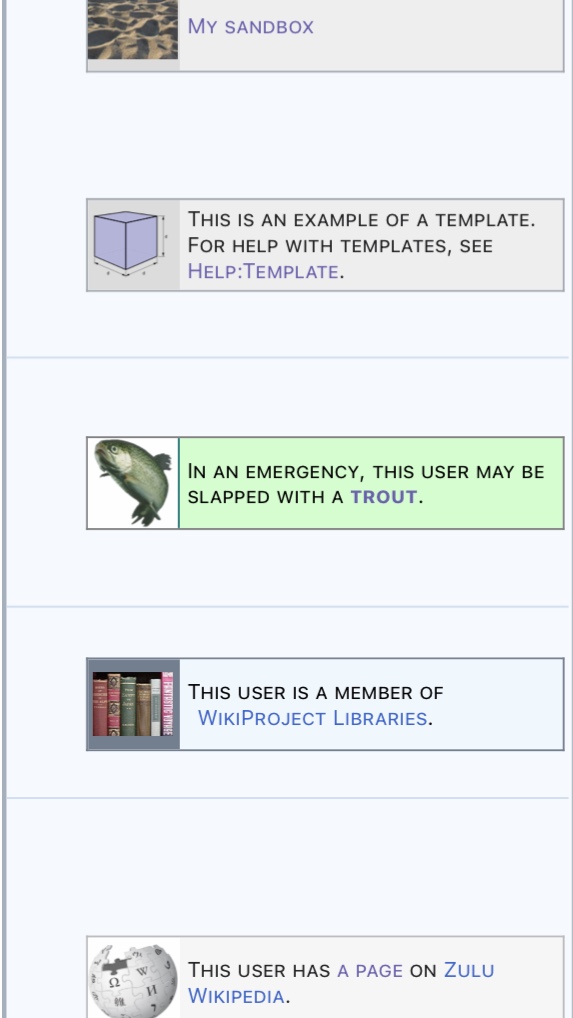
Affinity groups
A user-box can lead to an affinity group. I’ve included a few of them eon my User box cheatsheet (User:Derek J Moore/Templates). The list includes {{My sandbox}}, which directs the logged-in Wikipedian to their own Sandbox or {{Example}} which shows you how to create a template. I’m hoping that you will start becoming comfortable with templates.
My favourite affinity group I’ve chosen to associate with involves getting whacked with a wet trout!
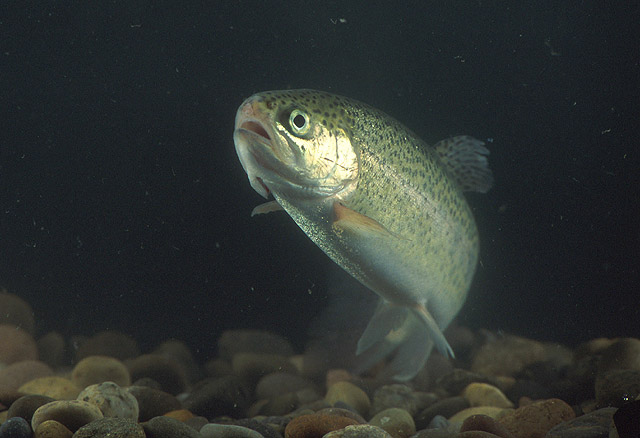

Adding images to an userbox (to start your affinity group).
If you want to create an affinity group, you can make your own userbox with images found on Wikimedia Commons (that’s where the trout picture came from). You can also upload your own images and license them openly. If you are going to refer to a book cover or logo in a userbox, then a non free rational is necessary for the image to remain there and not be speedily deleted.
The elements of this affinity group.
A wikipedian indicates their willingness to receive constructive criticism on their talk page by adding {{User_trout}} to their sandbox. These four curly braces {{}} create a template. When this {{User_trout}} template is placed on a sandbox, a small cut-out icon of this trout appears on the top right of the page (1).
By going to that persons talk page and adding {{trout}}, a “trout me” message will appear in the text (2).

This {{User_trout}}, {{trout}} or {{Overdone trout}} curly braces / templates are used by editors who don’t take themselves too seriously. They remind me of Monty Python {{Q|Q16402}} sketches that I find clever and funny. A better way to communicate criticism to peers or people who are in your affinity group. This template might also be an example of “British Humour” as there are only English explanations under the category . Category:Wikipedians_open_to_trout_slapping {{Q|Q8945251}}
Code used in the template called User trout
{{User_trout}} or https://en.wikipedia.org/wiki/Template:User_trout appears in the URL bar. It begins with the en language code and then the word Template: (https://en.wikipedia.org/wiki/Template🙂
Template:User trout could also be seen as a page name. This page is intended for inclusion on another target page. The technical term for this action is transclusion. A userbox from a source page (B) is transcluded into the target page (A).
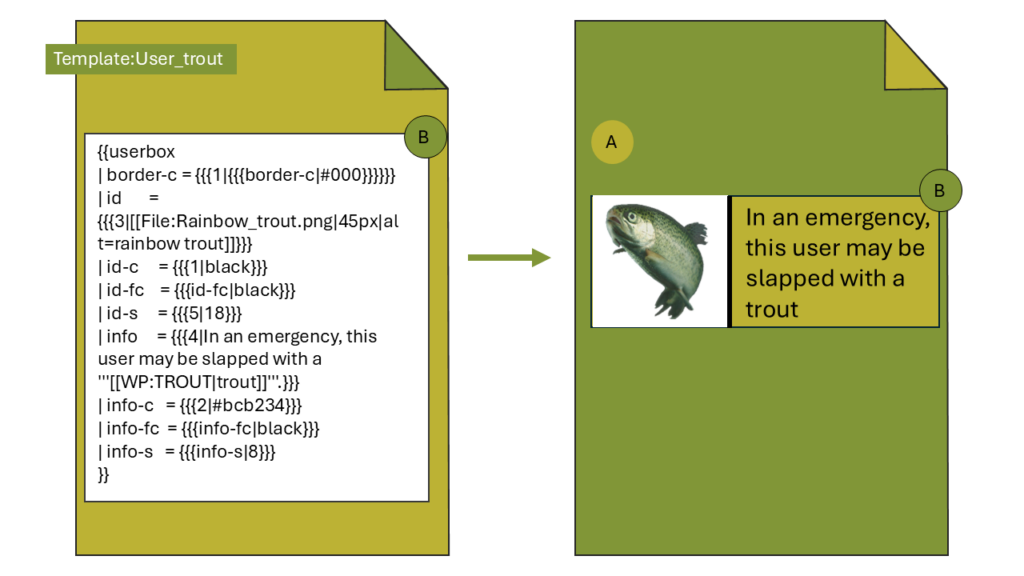
Transclusions happen behind the scenes in Wikipedia
Transclusions are useful because they mean that when you update the source page (B), all the other target pages (A) are also updated. Transclusions are also fun. I use them often in my sandbox or when sending messages or announcements.
If you look at the code above, you will see several named parameters. For example, “id” refers to the trout image image. “Info” refers to the message that goes along with the trout. When using small templates, there is sometimes the possibility of unnamed parameters. These parameters are numbered rather than named, using {{{1}}}, {{{2}}}, {{{3}}}.
You can also do transclusions with Wikidata and call and pass parameters. WARNING:This can gets even more complicated.
Transclusions also happen behind the scenes with Wikidata.
To transclude information acceoss from Wikidata into a Wikipedia page, you need to use another function. I placed Cyril Ramaphosa’s date of birth (listed on Wikidata) into his Xitsonga Wikipedia article (highlighted in blue). Notice it is NOT in English.
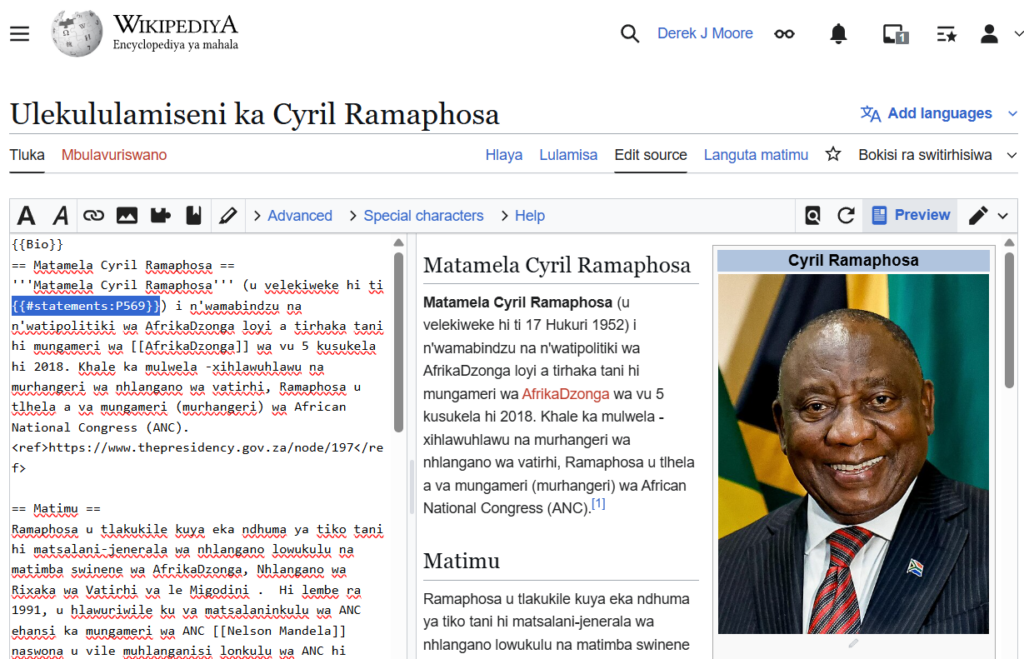
I did the following.
- Logged in and hit Lulamisa. I then switched from visual editing to source editing and viewed the code (see the “Split View” above).
- Called the Wikidata property number of “date of birth”, which is P569. Place the curly brackets and the page to be trancluded {{#statements:P569}} on the President’s article (see left side, highlighted in blue).
- If I did this on en Wikipedia it returns “17 November 1952”. If I do the same in Xisonga, then I will get “17 Hukuri 1952”. (I hope that is correct).
- Perhaps you could try this in another language?
Code used in the template called Bio
{{Bio}} is another transclusion. Like {{User_trout}} this template has code that creates a layout. The Bio template also pulls in paraters from Wikidata. I discovered {{Bio}} on Teamplaid:Bogsa eachdraidh-bheatha. It’s still experimental.
When looking at the code view of President Cyril Ramaphosa’s page on https://ts.wikipedia.org/ (Xitsonga Wikipedia) look out for {{Bio}}, top left on code view. Remember how curly braces were used in User Trout. In this case the {{Bio}} creates an “infobox” on a Wikipedia profile page.
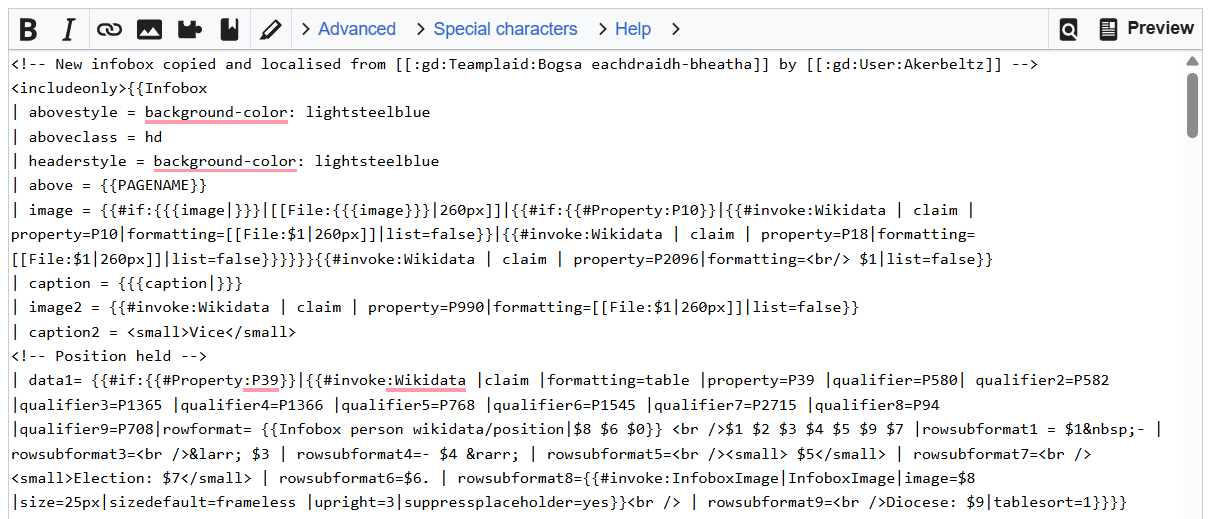
Infoboxes are like userboxes, just a bit more wordy. They usually contain key information about the subject. I’ve copied the first 20 lines of the above mentioned infobox
{{Infobox
| abovestyle = background-color: lightsteelblue
| aboveclass = hd
| headerstyle = background-color: lightsteelblue
| above = {{PAGENAME}}
| image = {{#if:{{{image|}}}|[[File:{{{image}}}|260px]]|{{#if:{{#Property:P10}}|{{#invoke:Wikidata | claim | property=P10|formatting=[[File:$1|260px]]|list=false}}|{{#invoke:Wikidata | claim | property=P18|formatting=[[File:$1|260px]]|list=false}}}}}}{{#invoke:Wikidata | claim | property=P2096|formatting=<br/> $1|list=false}}
| caption = {{{caption|}}}
| image2 = {{#invoke:Wikidata | claim | property=P990|formatting=[[File:$1|260px]]|list=false}}
|
}
The template needs to be standardised as a name by WMZA. I’ve called it {{Bio}}, {{Umuntfu}}, and {{Bo}} on vernacular Wikipedia.
Calling and passing parameters in a sandbox.
This bio function (shown above) also contains another function. It’s called {{Databox}}. Databox uses a single Lua module to call Wikidata properties and request different types of information associated with those properties. I suggest that you experiment in your sandbox.
The examples below are in three languages.
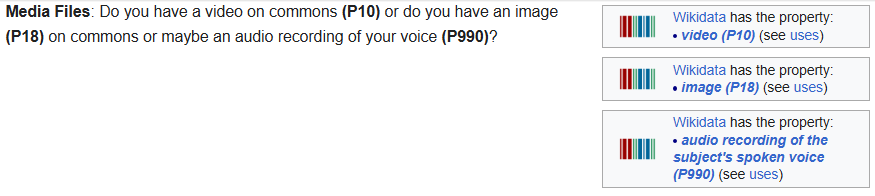
- Media Files: Do you have a video on commons {{Wikidata property | P10 }} or do you have an image {{Wikidata property | P18 }} on commons or maybe an audio recording of your voice {{Wikidata property | P990}} ?
- Positions Held: What position do you hold {{Wikidata property | P39 }} , when did you start in that role {{Wikidata property | P580 }} and when did it end {{Wikidata property | P582 }} ?

- Personal Details: What was your birth name, {{Wikidata property | P1477 }}, where was you place of birth {{Wikidata property | P19 }} , what was you date of birth {{Wikidata property | P569 }}?

As you can see, English and Afrikaans are well served. Xitonga (and the other SA official languages do not have this Wikidata template running (yet).
You can look at the Template:Infobox Biography2 {{Q|20829728}} number and can see a template page which allows you to create info boxes in bibliographic articles. Then squiz through different examples. You might need to look at the code version.
Code’s Purpose both transclusion and translation.
The code automatically fills in information about the subject using Wikidata properties. I am describing this code in English, but I’m hoping non-dominant language Wikipedians can use this for their context. I used it for Bobby Shabangu’s Wikipedia pages on four vernacular pages (the Afrikaans version got deleted).
More about Wikidata powered Info boxes
Want to know more. Sadik Shandu has a handy video. Want to make an {{infobox for bibliographic entries}} on your language version (Sorry, only catering for South African’s here). Then your task is to check out the examples below.
{{Umuntfu}} (SS), {{Bio}} (Ts), {{Bo}} Zu
I still need to do the other seven languages. All of these require a help page in a matching vernacular language. Good Luck as you wrap your head around this.
Maybe we should be looking at “Structured Narratives” https://en.wikipedia.org/wiki/Wikipedia:Mbabel is a tool that is also used with Wikidata to create a structured narrative.
Of course, this is all CC BY SA
References
Murray, B. (2018) The 46-year-long Wits LLB that never was https://www.wits.ac.za/curiosity/stories/the-46-year-long-wits-llb-that-never-was.html