Introduction
I’ve often wondered where our statesmen choose to go once they have retired. Cecil John Rhodes, for example, died at 49 in a modest cottage at 246 Main road (Q20617285), on the way to Vishoek. Poor bloke. His Groote Schuur Mansion had burnt down about 10 years before. Today, Rhodes Cottage is a thatched building, but originally structure had an asbestos roof. The warrior / statemen Jan Smuts lived in wood-and-iron building. This pre-fabricated structure was made of wood and iron components and was once used as an officers’ mess. It was bought in Middelburg and re-erected on the farm Doornkloof. The house was also known as die GROOT HUIS*. (Q61930814) and is also known as the Smuts House Museum. Dr AB Xuma, medical doctor, leader, activist, president-general of the African National Congress (ANC) and signatory of the doctors pact, had a home on the corner of Toby and Thornton street. (Q20981521) in Sophia Town. Forced to leave in 1959, the house is known as Empilweni (the place of healing) is the Sophiatown Heritage Centre.
These are places worth visiting.
 |

|
When Nelson Mandela was released from prison he moved in to a house in 13th street in Houghton. After he and Winnie were divorced, he moved to a place in 12th street in Houghton in 1998. Madiba moved to 12th avenue when he married Graça Machel. Sanctuary Mandela is the name of the boutique hotel that now sits where Madiba’s house is. The hotel was amazing. I was a guest there of the Wikimedia Foundation and we had a superb lunch. The hotel has 9 rooms and each is centred around the decades he lived. I wish I’d taken more pics. This was also his last residence, any my kids left flowers outside.
I’d like to take pictures of these stateman’s places. For example, what about Thabo Mbeki’s house bordering on Riverlea and Houghton Estate. There is also Kgalema Motlanthe’s place in 8th Street, Houghton Estate. Each of these houses are an important part of our countries heritage. We can’t only have early colonists and nationalists on Wikipedia. This is part of the my (unpaid) work about communities that I am doing as a Wikipedian in Residence for Code for Africa (and my almost completed WIR).
Upload Images Features
Within the set of stylesheets I put together for Heritage Month, I’ve created place for something called “Images Wanted”, or “Upload images”. This is a function that allows the average Wikipedian to upload images when the template is called. Some have suggested that this function be placed on talk pages, while others put it right on the page that needs a picture. I’m going to suggest that this function can also be located in the Sandbox.
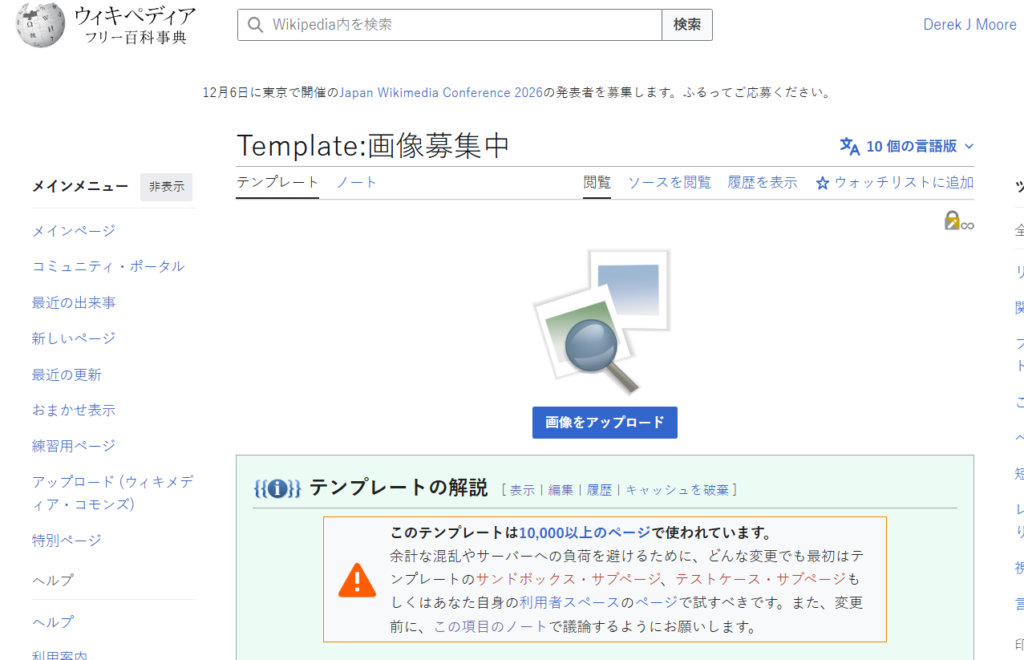
I saw this function originally in Japanese (see Template:画像募集中) and Korean (see 틀:이미지업로드요청). It looks complicated, but there is a simple explanation.
You can initiate the function by writing familiar words in curly braces{{画像募集中}} . No, I don’t speak Japanese or write it. Neither do I speak vernacular languages. I can however code switch. For example, what does 利用者:Derek J Moore mean. Look at this in context.
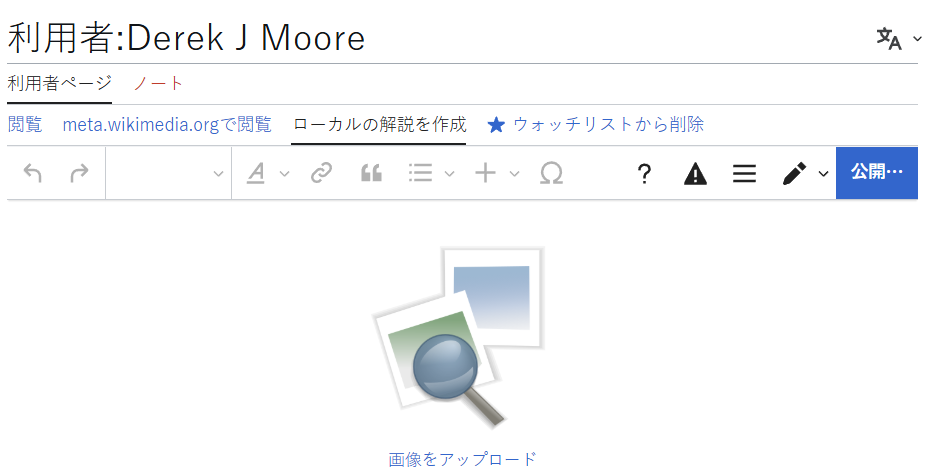
After adding {{画像募集中}} and saving it, I can use the upload images function. You can upload images by pressing a hyperlink (or a blue button) or clicking the image of photographs and magnifying glass. This takes you to the upload wizard and you can there upload the desired pictures.
The template also permits you to place pictures into categories (Wikipedia:画像提供依頼/カテゴリ一覧). But I still need to figure this out.
Schema
We talked about blocks recently. Wikipedia allows you to create blocks too. If you write this on Wikipedia, then you’ll get a block.
{| class="infobox"
|This is an infobox
|}
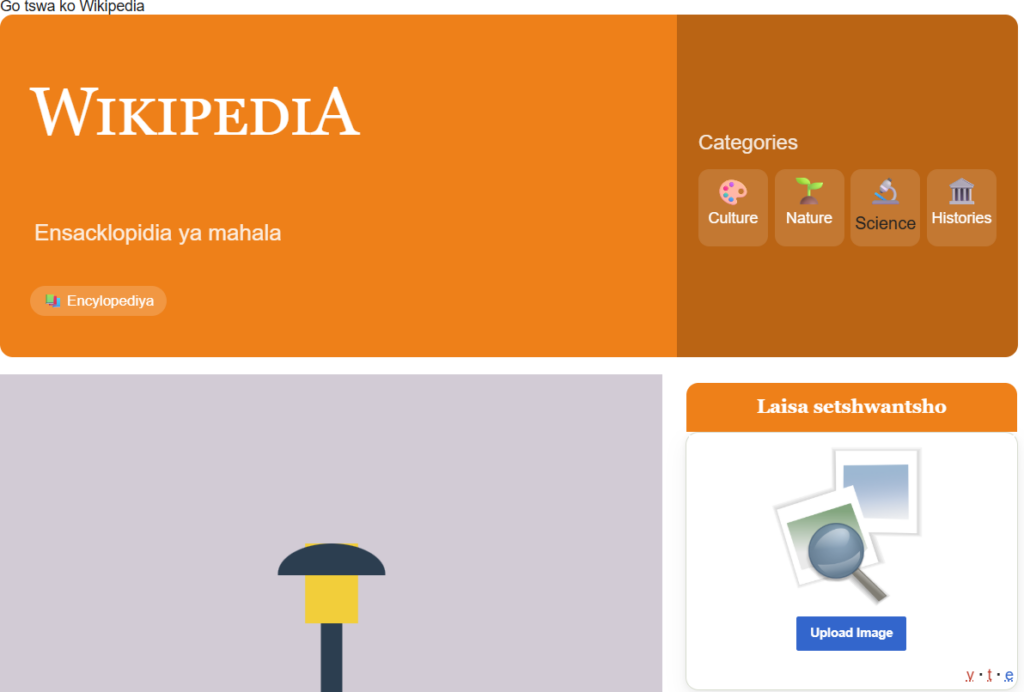
Below is a more complicated block. The diagram shows how an infobox is combined with the function {{laisa setshwantsho}} and the associated parameters.
laisa setshwantsho
A Wikimedia Template.
{{laisa setshwantsho}}laisa setshwantsho
Please provide an image related to these parameters.
{{Infobox |name = Derek J Moore |title = Laisa setshwantsho |data1 ={{laisa setshwantsho |type=2 |size=100px |cat=People |cat2=Cities }}|label2 = Instructions |data2 = {{{item_four|weblearning.co.za}}} }}
| Parameter | Type | Default | Description |
|---|---|---|---|
typeRecommended |
number | 1 |
Placeholder image type.
1 = General 2 = People 3 = Buildings |
sizeOptional |
string | — |
Image width.
Example: 100px
|
cat |
string | — | Image request category. |
cat2 |
string | — | Second category. |
cat3 |
string | — | Third category. |
cat4 |
string | — | Fourth category. |
cat5 |
string | — | Fifth category. |
Notable code
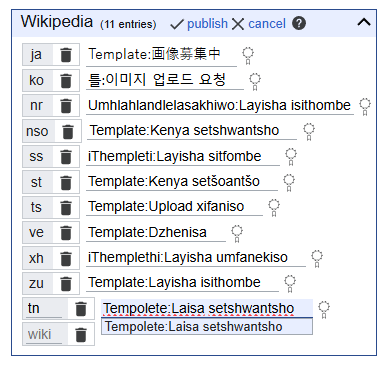
The function consists of two words that describe the action you want to perform. Here are these words in the various languages. Please feel free to correct me (and Aunty Google) if we have made mistakes.
- nr Umhlahlandlelasakhiwo:Layisha isithombe
- nso Template:Kenya setshwantsho
- ss iThempleti:Layisha sitfombe
- st Template:Kenya setšoantšo
- tn Tempolete:Laisa setshwantsho
- ts Template:Upload xifaniso
- ve Template:Dzhenisa
- xh iThemplethi:Layisha umfanekiso
- zu Template:Layisha isithombe
For illustration purposes, I'm just going to focus on one language - Setswana. The same principles apply in all languages
Detailed Specifications
Step 1: Create the shell
"Upload images" (according to Google translate) in Setswana is "laisa setshwantsho". Go to the vernacular Wikipedia (e.g. tn.wikipedia.org) and enter the URL https://tn.wikipedia.org/wiki/Tempolete: followed by "laisa setshwantsho"
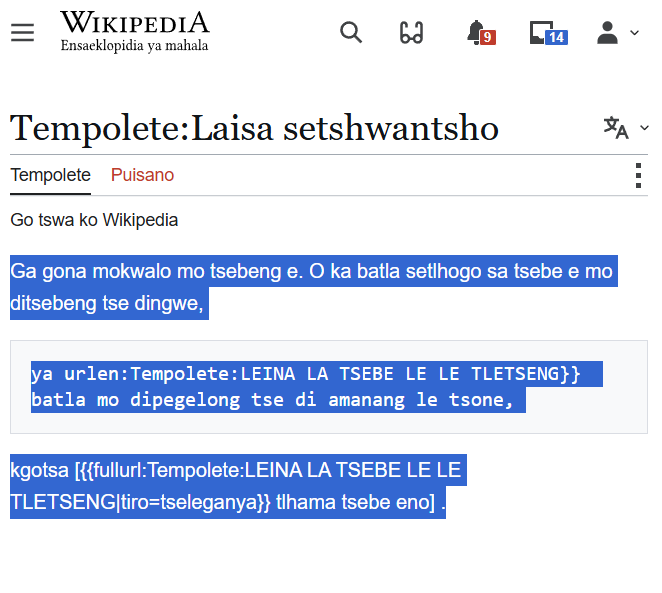
Some people (like me) cannot understand this message that I highlighted in blue, but aunty Google knows the answer: "No text on this page. You can search for the title of this page on other pages".
Go ahead and press Dira motswedi (Create source).
You might see another message. "O setse morago kgolagano ya tsebe e, ise e nne teng gompieno. Go dira tsebe ye, simolola ka go kwala mo lebokosong le le latelang (bona tsebe ya thuso go itse thata). Ga o lefa ka phoso tobetsa boelamorago". Aunty Google translates this and says "You are following the link to this page, it is not available today. To create this page, start by filling in the following box (see the help page to know more). If you pay by mistake click reverse".
This is a bit garbled and it probably means that the instance is not being maintained. When I find confusing code, I look for other examples to draw on. The function is called https://www.wikidata.org/wiki/Q26127718 on wikidata. When I click on the Japanese version, I see the following
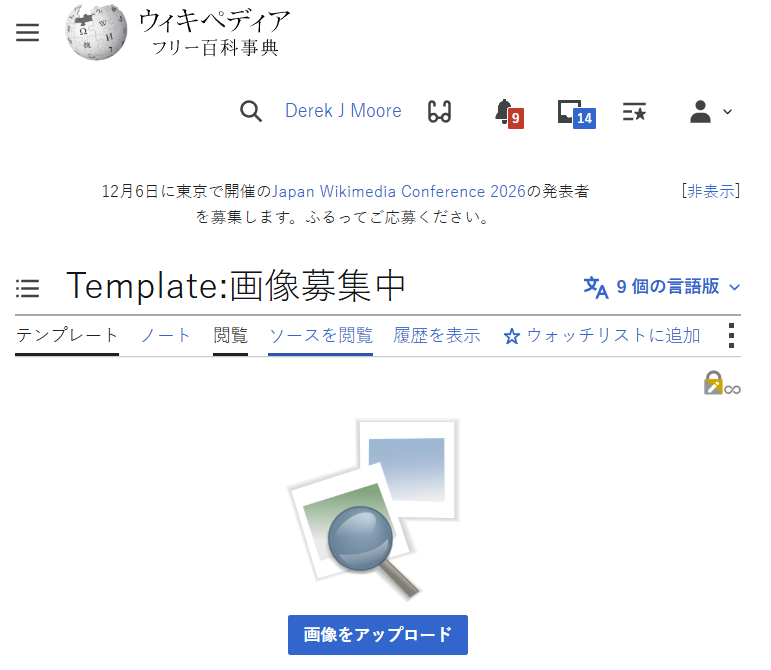
This might look a bit unfamiliar to some, but you can see the code in the tab called " ソースを閲覧" Go ahead and view the code there. What I do is I copy and past this code into a text editor. Then I translated bits of it.
[[File:{{#switch: {{{1|{{{type|}}}}}} | 1 = Gthumb.svg | 2 = Replace this image JA.svg | 3 = Requestpicture.JPG | #default = Gthumb.svg }}|{{#if: {{{2|{{{size|}}}}}} | {{{2|{{{size}}}}}} | {{#switch: {{{1|{{{type|}}}}}} | 2 = 150px | 3 = 230px | #default = {{{size}}} }} }}|link=commons:Special:UploadWizard]]
{{Clickable button|c:Special:UploadWizard|Upload Image|class=mw-ui-progressive}}

{{#switch: {{NAMESPACE}} | {{ns:0}} | {{ns:1}} = {{#if:{{{cat|}}} | [[Category:{{{cat}}} Image Request]] }} | #default= }}{{#if: {{{cat1|}}} | [[Category:{{{cat1}}} Image Request]] }}{{#if: {{{cat2|}}} | [[Category:{{{cat2}}} Image Request]] }}{{#if: {{{cat3|}}} | [[Image Request for Category:{{{cat3}}}]] }}{{#if: {{{cat4|}}} | [[Image Request for Category:{{{cat4}}}]] }}{{#if: {{{cat5|}}} | [[Image Request for Category:{{{cat5}}}]] }} {{Documentation}}
Step 2 | Copy and paste code for templates and modules
After pasting the code into the code frame, you can see a clickable picture in the view frame. This takes you to the Upload Wizard.

We want to also have a clickable button below (see the red link). So we create a Module:Clickable button and enter this code
-- This module implements {{clickable button 2}}.

local yesno = require('Module:Yesno')
local delink = require('Module:Delink')._delink

local p = {}

function p.main(frame)
local getArgs = require('Module:Arguments').getArgs
local args = getArgs(frame)
return p._main(args)
end

function p._main(args)
-- If first arg or a url is not provided,
-- but we have a second arg, make a button.
-- Otherwise, return nothing.
args.originalInput = args[1]
args[1] = delink({args[1]})
if args[1] == "" then
args[1] = nil
end

if not args[1] and not args.url then
    if args[2] then
        p.nolink = true
    else
        return ''
    end
end

local data = p.makeLinkData(args)
local link = p.renderLink(args.originalInput, data)
local trackingCategories = p.renderTrackingCategories(args)
return link .. trackingCategories

end

function p.makeLinkData(args)
local data = {}

-- Get the link and display values,
-- and find whether we are outputting
-- a wikilink or a URL.
if args.url then
    data.isUrl = true
    data.link = args.url
    if args[1] then
        data.display = args[1]
    elseif args[2] then
        data.display = args[2]
    else
        data.display = args.url
        p.urlisdisplay = true
    end
else
    data.isUrl = false
    p.urlisdisplay = false
    data.link = args[1]
    if args[2] then
        data.display = args[2]
    else
        data.display = args[1]
    end
    if args[1] and args[1]:find('http') then
        data.isUrl = true
    end
end

if yesno(args.link) == false then
    p.nolink = true
end

-- Colours
-- For the merge with {{clickable button}}
local colour = args.color and args.color:lower()

-- Classes
local class = args.class and args.class:lower()
data.classes = {}
if class == 'ui-button-green'
    or class == 'ui-button-blue'
    or class == 'ui-button-red'
then
    table.insert(
        data.classes,
        'submit ui-button ui-widget ui-state-default ui-corner-all'
            .. ' ui-button-text-only ui-button-text'
    )
else
    table.insert(data.classes, 'mw-ui-button')
end

--If class is unset,
--then let color determine class
if not class then
    if colour == 'blue' then
        class = 'mw-ui-progressive'
    elseif colour == 'red' then
        class = 'mw-ui-destructive'
    elseif colour == 'green' then
        class = 'mw-ui-constructive'
    end
end

if class then
    table.insert(data.classes, class)
end

-- Styles
do
    --[[
    -- Check whether we are on the same page as we have specified in
    -- args[1], but not if we are using a URL link, as then args[1] is only
    -- a display value. If we are currently on the page specified in
    -- args[1] make the button colour darker so that it stands out from
    -- other buttons on the page.
    --]]
    local success, linkTitle, currentTitle
    if not data.isUrl then
        currentTitle = mw.title.getCurrentTitle()
        success, linkTitle = pcall(mw.title.new, args[1])
    elseif p.urlisdisplay then
        currentTitle = mw.title.getCurrentTitle()
    end
    if success
        and linkTitle
        and mw.title.equals(currentTitle, linkTitle)
        and not p.urlisdisplay
    then
        if class == 'ui-button-blue'
            or class == 'mw-ui-progressive'
            or class == 'mw-ui-constructive'
        then
            data.backgroundColor = '#2962CB'
            data.color = '#fff'
        elseif class == 'ui-button-green' then
            data.backgroundColor = '#008B6D'
        elseif class == 'ui-button-red' or class == 'mw-ui-destructive' then
            data.backgroundColor = '#A6170F'
        else
            data.backgroundColor = '#CCC'
            data.color = '#666'
        end
    elseif p.urlisdisplay then
        data.dummyLink = tostring(currentTitle)
    end
    -- Add user-specified styles.
    data.style = args.style
end
return data

end

function p.renderLink(originalInput, data)
-- Render the display span tag.
local display
do
local displaySpan = mw.html.create('span')
for i, class in ipairs(data.classes or {}) do
displaySpan:addClass(class)
end

 displaySpan
        :css{
            ['background-color'] = data.backgroundColor,
            color = data.color
        }
    if data.style then
        displaySpan:cssText(data.style)
    end
    displaySpan:wikitext(data.display)
    display = tostring(displaySpan)
end

-- Render the link
local link
if originalInput and originalInput:find('|') then
    link = string.format('[[%s|%s]]', delink({originalInput, wikilinks = 'target'}), display)
elseif p.nolink then
    if p.urlisdisplay then
        link = string.format('[[%s|%s]]', data.dummyLink, display)
    else
        link = string.format('%s', display)
    end
else
    if data.isUrl then
        link = string.format('[%s %s]', data.link, display)
    else
        link = string.format('[[%s |%s]]', data.link, display)
    end
end

return string.format('<span class="plainlinks clickbutton">%s</span>', link)

end

function p.renderTrackingCategories(args)
if yesno(args.category) == false then
return ''
end
local class = args.class and args.class:lower()
if class == 'ui-button-green'
or class == 'ui-button-blue'
or class == 'ui-button-red'
then
return '[[Category:Pages using old style ui-button-color]]'
else
return ''
end
end

return p
Step 3 | Where are we ?
- Done | We have written the template shell called Laisa setshwantsho
- Done | We have added the code to go into the template shell called Laisa setshwantsho which calls on many pre-installed modules. It works but...
- Oops | The red line suggests tha there is a missing module called Clickable button
- Done |We have added the code to go into the Clickable button module.
- Todo | We now need a template with instructions to also call (or invoke) the Clickable button module
If you go back to https://tn.wikipedia.org/wiki/Tempolete:Laisa_setshwantsho you will still see two big gaps. A red link and no documentation.
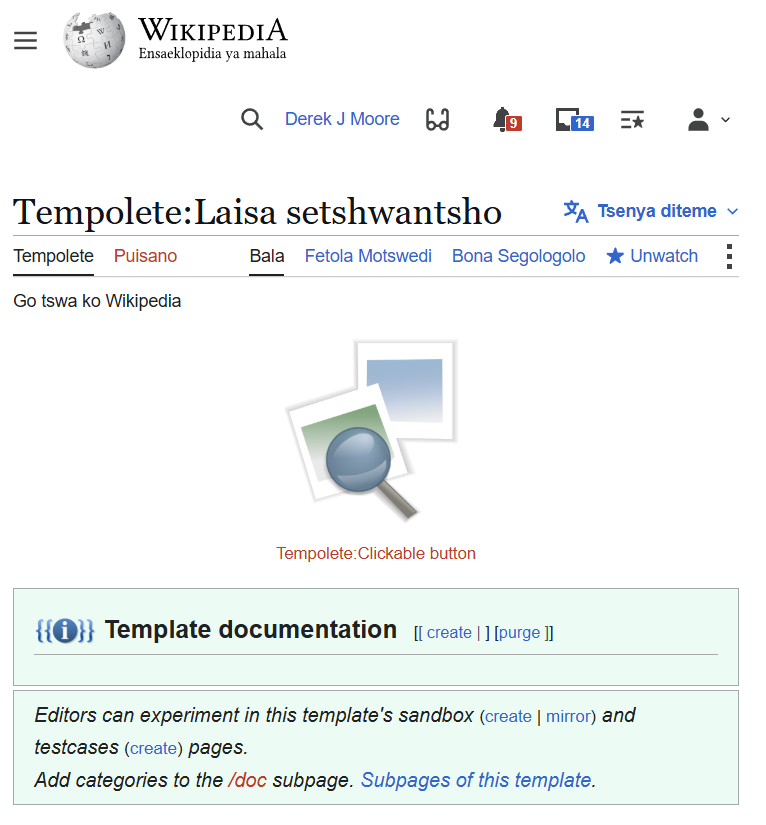
We need to create a Template called Clickable button. Click on the red links and then add this code. Check to see if everything works
{{#invoke:Clickable button|main}}
{{documentation}}
Step 4 | Register the template on Wikidata
Now go to Wikidata and register this template:
Step 5 | Lets use {{Laisa setshwantsho}}
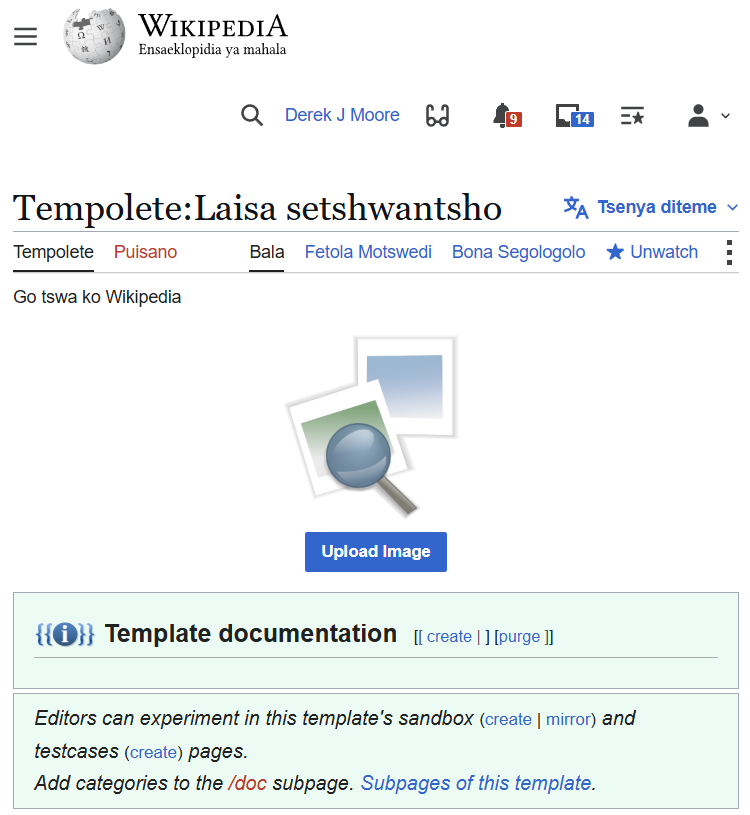
A template by the name Laisa setshwantsho has been created. You call a template with curly braces {{}}.
Step 6 | Application, testing and documentation
You can include and upload images function by referring to {{Laisa setshwantsho}}. The Template documentation (as you can see) is blank and it needs to be created, preferably in vernacular. I'll leave that for a person who writes in Setswana (aunty Google gets things wrong often) .
I'm going to demonstrate how I included this function in my sandbox. First I go to Derek J Moore in Setswana.
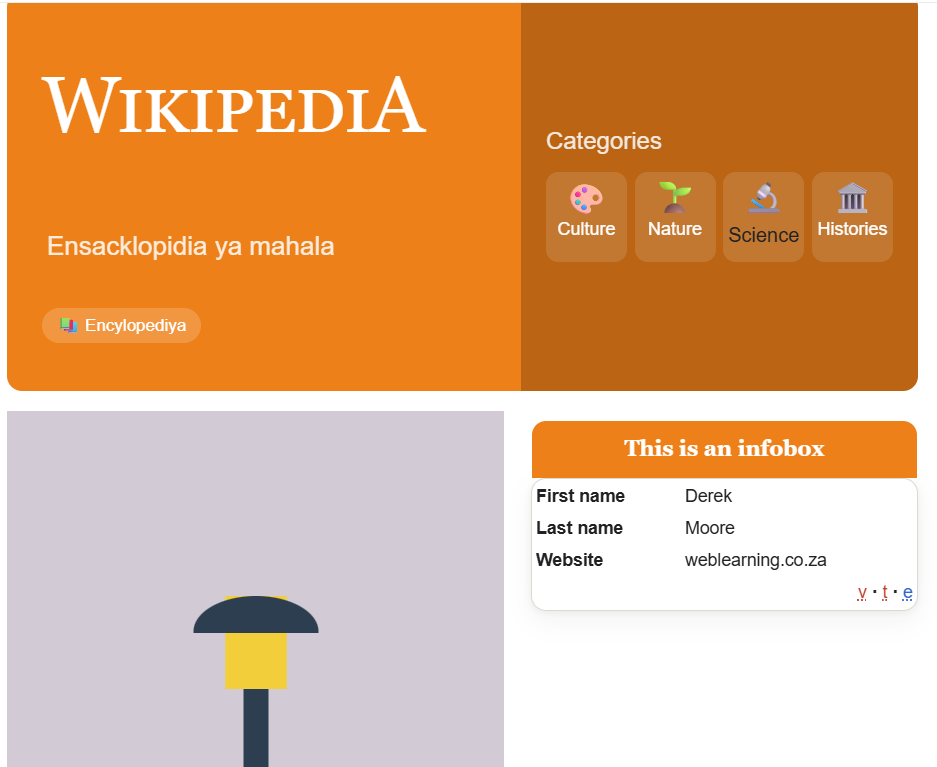
I turn on code view, look for the {{Infobox}} and insert the function {{Laisa setshwantsho}}.
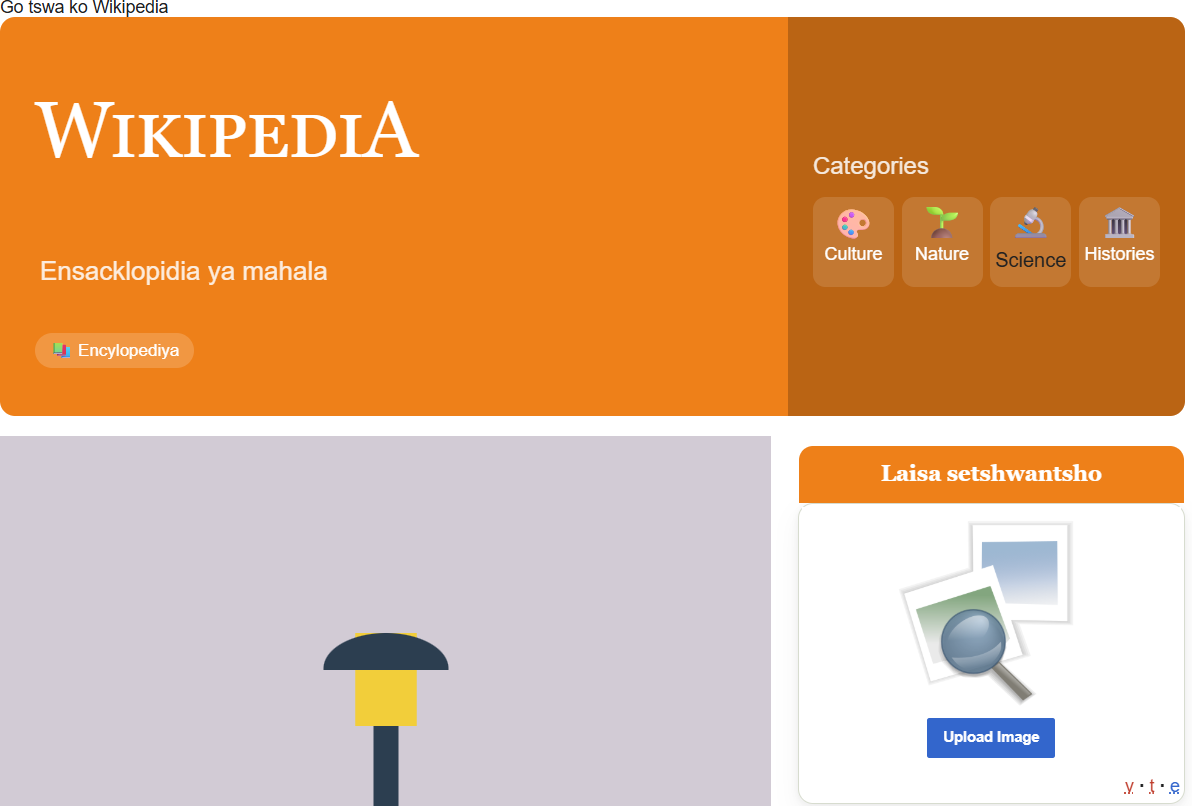
There, the upload image function now sits in my pretty sandbox. Would appreciate it if you can improve the documentation.
*Thanks to Mario for the spell checking
References
Statesmen and their websites: Rhodes, https://rhodescottage.co.za/, Smuts, https://www.smutshouse.co.za/ , Xaba, https://www.trevorhuddleston.net/ Mandela https://www.nelsonmandela.org/news/entry/a-tale-of-two-houghton-houses, Mbeki https://mbeki.org/ and Motlante https://motlanthe.org/
To find out more about translation and the work of South African Wikipedians in vernacular, do visit https://translatewiki.net