
It’s been a month of changes, which have come in many shades. Cara got to visit Katy in Berlin for the July Holidays. Just after her return, Daisy died (24 July 2025). In a few weeks’ time, Simon will be heading over to Dorset to teach at Milton Abbey and the rest of the family (except Amy) will follow. Mom and Dad celebrated their 80th last year. I am turning 57 in August, Jean’s birthday and our 27th Anniversary is in September. Anna will be 21 in less than a year and Cara is into matric.
Perhaps it’s mortality or maybe it’s the work that I’m doing on the Naidoo’s Family History. Or perhaps it’s because of Paul (and his brother Moses). But I’ve recently really got into the relations within’ family knowledge and finding ways in which I can make knowledge visible as an object by with knowledge structures (Bernstein).
In other words, we are looking at “Family Trees”.
Today I thought I’d show how you can make a good old family tree (or a chart), that I stumbled upon at Reddit, made by Donat Sorić, and shared under a MIT license.
Families are complicated
Creating the chart/ family tree requires clear instructions. Family structures are sometimes complicated and drawing them with openly licensed resources (and saving them) can be a challenge. You will need one essential website (and two optional services) for your tree. And a pencil and piece of paper.
- Essential site: https://donatso.github.io/family-chart-doc/
- An account on Wikidata (optional)
- A GitHub account (very useful, but don’t stress if you don’t get it)
In this post, I aim to break the family chart creation process down into small steps and provide links to working examples. Before I begin, some thoughts about teaching with devices.
As an IT facilitator at Alexandra High School and then head of ICT at Slough and Eton Church of England School, I noticed a few things….
- We learn better when two (or even three) people are at a screen. We are social. We understand with each other and when we speak to each other.
- We often prefer application and choice over instruction and dialogue. I often give a small introductory task, to determine prior knowledge. For example, when beginning a workshop, I’ll ask workshop participants to take a shelfie and then share this image. Some might elect to use Wikimedia Commons. This activity reveals a few things about skills levels, and this then is a prompt for dialogue and instruction.
- We don’t get it right the first time. I try to narrate my process in different ways (spoken, audio file, video example) and am quite comfortable with making mistakes in front of an audience, asking for help or modelling how to find answers. Not getting something right the first time is standard neither can we do it all by ourselves.

If those in a workshop can talk, show each other how to do something and identify their mistakes. Then they should also be able to self-diagnose their own or their peers’ work. I also use an external exemplar and haul it out when things really go wrong.
So let’s get into family trees with Family Chart, Wikidata and Github.
Step 1 – Getting started with paper.
Pen and pencil. Name of your Mom and Dad. Sisters, brothers, grannies, gandparents. aunts and uncles. This is the flat way to draw a family tree. You will need a name, surname and their date of birth. Now you could also create a family tree on Wikipedia using the Ahnentafel System (see my first ancestor table) or the Wikipedia’s tree chart template (see my second incomplete family tree). Our social relations have generated a “knower structure” (Lucket 2009), and anyone from the immediate family could login to Wikipedia correct mistakes.
Step 2 – Transferring paper to a PC with Family Chart (mobile screens are too small. Move to step 5)
Now, take a look at Donat Sorić and his amazing work https://donatso.github.io/family-chart-doc/ I made a small start with my family. If you know the Moore Crew I think you can fill in the gaps.

On Family Chart’s launch screen, you’ve got a few possibilities. You can
- Start with Examples
- Create from Scratch (we will do this first)
- Or try Wikidata Integration

Step 3 – Start from scratch
We are going to start from scratch and face a blank screen. Remember the piece of paper that you created in Step 1. Take out that paper and transfer the details onto the chart
Click on the person (I’ll do me, the dad)
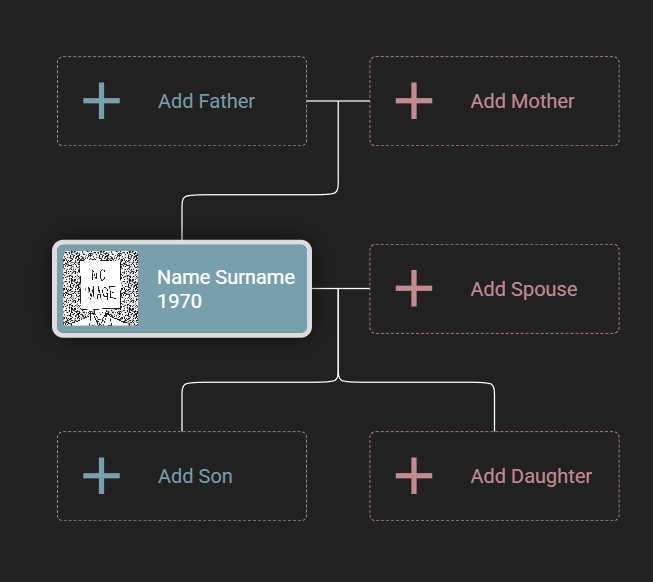
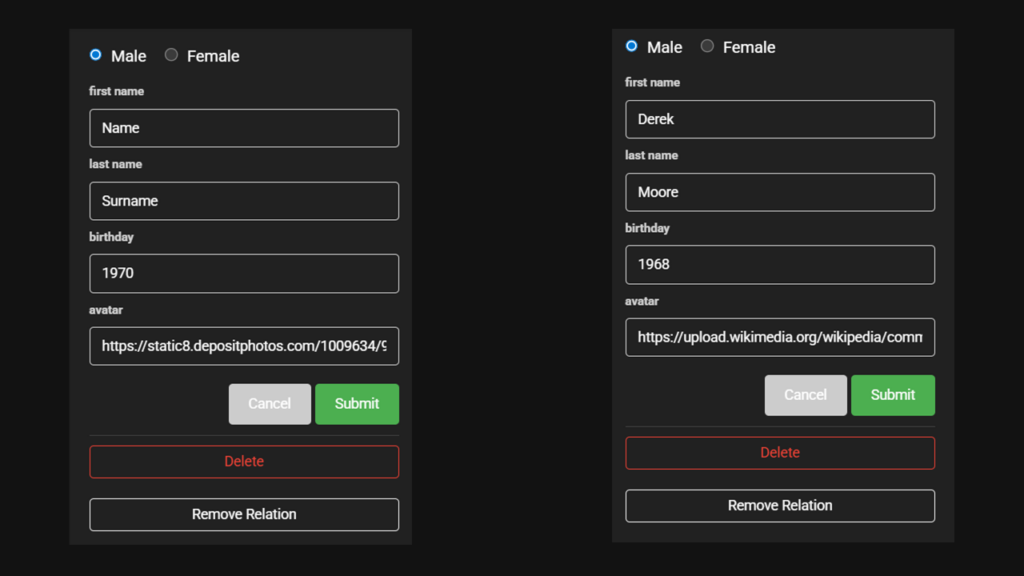
I then add my details.
First name: Derek
Last name: Moore
Birthday: 1968
Avatar: My photo is already on Wikimedia Commons
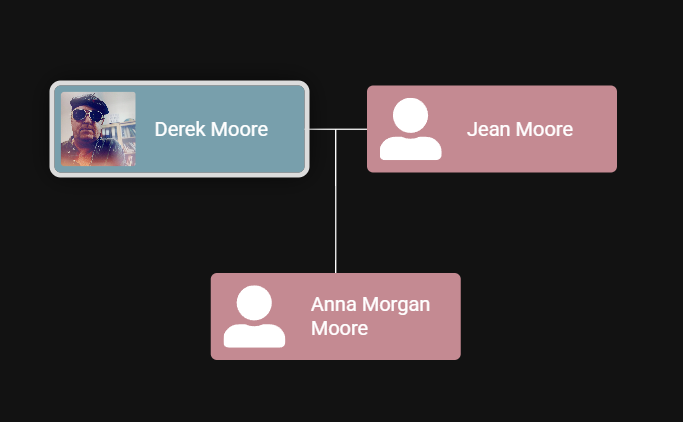
Then its Jean and Anna. You will see that I have listed three of us below. Only Cara is missing. Want to help?
Step 4 – Check out Wikidata family trees
Look at Winston Churchill (Q8016) and his extended family.
Or Jacob Gedleyihlekisa Zuma(Q57282) and his extended family
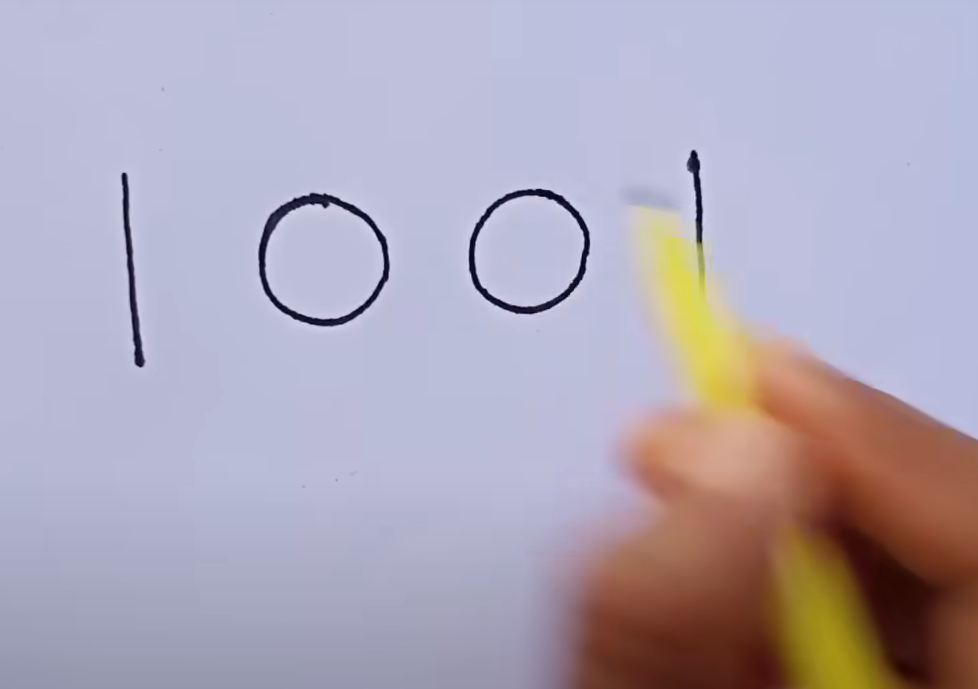
Or (Q1001) (click to guess who)
Step 5 – Get onto Wikidata (mobile or desktop)
Go to Wikidata and search for yourself. You might find a reference to a paper that you have published or you might already have a Wikidata number.

Exemplar 1 – Wikidata on a mobile phone
I have the item identifier Q132200769 (confession, I added it myself) and the label Derek Moore. The description provides some information about me. And the aliases are other names that I am known by. Further down the page, you’ll notice that I have listed a few other details
| Family Name (P734) | Moore |
| Father (P22) | Donald Moore |
| Sibling (P3373) | Heather Moore |
| Spouse (P26) | Dr Jean Moore |
| Child (P40) | Anna Morgan Moore |
| Image (P18) | Upload image |
Our family are lovely, but (honestly) we are not historically notable (and Cara does not want a Wikidata number yet). But this is what our family tree looks like on Wikidata. Each of us has a label on WikiData
Exemplar 2 – Gandhi’s and Wikidata on a desktop
I’m going to swwitch focus and suggest that we use Gandhi’s item identifier (Q1001), and look at how the tree draws on the many images on Commons

If you click on any person on the family tree, then the tree grows. At the top, you can see the Identifier. You can either go to Wikidata with that number to see the meta information.
Step 6 – Verify, Verify, Verify
Drawing up a family tree (when you don’t know the family) can be difficult. It is very easy to make mistakes. When adding details to Wikidata, you should have a reference for all the statements that have been made, including family relationships But that’s another topic for another tutorial.
Step 7 – Save your work

At the bottom of the family chart, there are four ways to view the data in the family tree. If you have a GitHub account, you can fork the chart code and save your own family tree work in the examples folder (complicated). Alternatively, you could save the file onto a memory stick (simple) or onto your own website (easy if you have to have a website). Then go ahead and paste the file into the data section.
Well done. You should now have a family chart / tree.
P.S. I’m also hoping to attend a heritage conference soon, and I’d like to work with a fellow Wikipedian and lead a workshop about how to use Wikidata, GitHub and a piece of open software for constructing a family tree. Of course, all this information is openly licensed and attribution (or a cup of coffee) would be appreciated.
The next step is to learn how to add to Wikidata and constructing SPARQL queries for Wikidata.
References
Luckett, K. (2009). “The relationship between knowledge structure and curriculum: a case study in sociology”. Studies in Higher Education. 34 (4): 441–453. doi:10.1080/03075070902772018. ISSN 0307-5079.